← Back to My Work
Home›Projects›Hudl Tagging Tools
AI / Computer Vision · Sports automation

Hudl Tagging Tools

● Experimental / Active

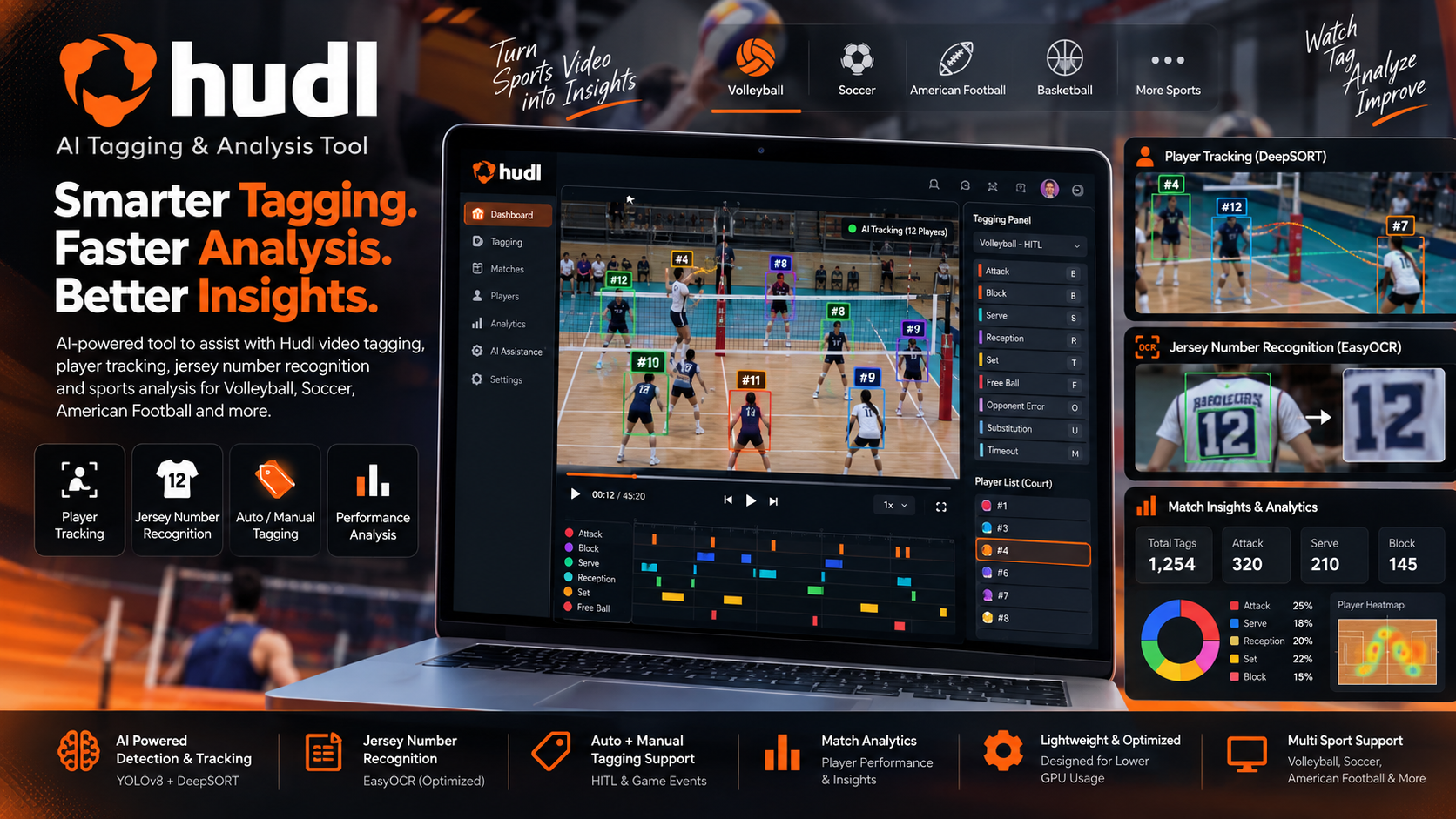
Experimental sports-video automation tooling for volleyball workflows, combining object detection, OCR, voice input, screen capture and UI automation.
PythonYOLOv8EasyOCROpenCVMSSPyAutoGUIVoskTkinter
Hudl Tagging Tools project visual
01 · OVERVIEW

What is Hudl Tagging Tools?

What the project does

Hudl Tagging Tools explores how repetitive volleyball tagging tasks can be assisted by computer vision and automation. The project contains multiple tools rather than one single production pipeline.

How it benefits the user/business

  • Reduces repetitive manual interaction in selected tagging workflows.
  • Experiments with object detection and OCR for visual cues.
  • Includes offline voice input for manual tag commands.
  • Includes calibration and screen-coordinate automation for a specific workstation workflow.

Platform & environment

Python desktop automation / computer-vision tooling running against a captured/visible Hudl workflow.

02 · FEATURES

What is included?

01 · YOLOv8-based object detectionImplemented as part of the project's current scope.
02 · EasyOCR number recognitionImplemented as part of the project's current scope.
03 · Vosk offline voice commandsImplemented as part of the project's current scope.
04 · MSS screen captureImplemented as part of the project's current scope.
05 · OpenCV image processingImplemented as part of the project's current scope.
06 · PyAutoGUI interface automationImplemented as part of the project's current scope.
07 · Tkinter interactive tagging toolImplemented as part of the project's current scope.
08 · Target coordinate calibrationImplemented as part of the project's current scope.
09 · Attack-location perspective mappingImplemented as part of the project's current scope.
10 · Manual and automated tagging modesImplemented as part of the project's current scope.
03 · WORKFLOW

How the project works

Hudl Screen / Video
      ↓
Screen Capture (MSS)
      ↓
Frame Processing (OpenCV)
      ↓
Object Detection (YOLOv8)
      ↓
Optional OCR (EasyOCR)
      ↓
Tag / Player Decision
      ↓
PyAutoGUI / UI Automation
      ↓
Hudl Tag Entry

Parallel Input:
Voice → Vosk → Command → Tagging Tool
04 · BACKEND

What role does the backend play?

The backend/application layer is responsible for connecting the interface to the project's data, business logic and user workflows.

  • This is primarily a desktop automation project, so it does not have a conventional web backend.
  • Its ‘system brain’ is the Python process coordinating detection, OCR, voice commands, timing and UI automation.
  • Tkinter provides the operator interface, while OpenCV/MSS/PyAutoGUI connect the model output to the screen workflow.
05 · USAGE

How is it used?

The operator launches the tooling on the same machine as the target workflow, calibrates screen coordinates/regions, and uses manual, voice or automated computer-vision-assisted actions.

Project maturity: Experimental / Active. The purpose of this page is to explain the implementation that exists in the repository, while keeping production-readiness claims separate.
06 · LIMITATIONS

Current boundaries

The tooling is experimental and workstation-specific. Blur, screen layout changes, OCR errors, compute load and target-coordinate changes can affect reliability. Production-grade tracking and model optimization remain future work.